
Quick Summary
Learn how rented Google Ads access works, what to check for ownership, billing, security, and policy risks, and which alternatives give your business better control.
Can you Rent google ads account? Providers may offer temporary access, managed campaigns, or an established account with payment history. Renting another business’s account can create risks involving ownership, billing, policy compliance, data security, and access.
The safer option depends on who owns the account, how Google grants access, whose details appear in the account, and who is responsible for the advertising activity.
What Does It Mean to Rent a Google Ads Account?
“Renting” usually means paying a provider to use an existing Google Ads account for a set period. The provider may give you login credentials, add your Google account as a user, or run campaigns for you through a Manager Account.
These arrangements are not equivalent. You might receive campaign access without ownership, operate under an agency’s account, or use an account created for your business. Confirm the structure before you pay.
Shared login: You use credentials that may also be available to the provider or other customers.
Invited user access: Your Google account receives a role within the advertiser account.
Agency management: An agency manages the account and provides services to your business.
Standalone account: An account is set up for your business, with defined administrator access and documented billing responsibility.
A shared password is the least transparent option. It makes it harder to identify who changed settings, protect account data, or recover access after a dispute.
Is Rent google ads account Allowed by Google?
Google’s published policies govern advertiser accounts and access, but they do not establish a general right to rent or transfer advertising accounts. The policies focus on accurate advertiser information, responsible payment activity, account security, and compliance with Google Ads requirements.
Using an established account is not automatically safe because it has age or past activity. Mismatches between the advertiser, website, payment profile, business location, and identity documents may prompt additional review or create compliance issues.
Google also restricts deceptive conduct, suspicious payment behavior, and attempts to avoid enforcement. Renting an account to get around a suspension or advertiser verification request can create a serious policy concern.
Review the latest Google Ads policies and support guidance before launching. Requirements can vary by industry, country, account setup, and advertising activity.
Renting Access vs. Using an Agency vs. Owning Your Own Account
Setup | Who controls the account? | Main concern |
|---|---|---|
Shared rented login | Unclear or shared control | Loss of access, weak security, and unclear responsibility |
Agency-managed account | Agency or client, according to the agreement | Data, billing, and campaign ownership must be defined |
Your own new account | Your designated administrators with the appropriate Google Ads access roles | You handle setup, verification, billing, and policy duties |
Standalone account for your business | Your designated administrators with the appropriate Google Ads access roles | Confirm identity, payment profile, terms, and handover rights |
A Google Ads Manager Account lets agencies manage linked client accounts without asking clients to share passwords. This is a standard business access model when the relationship, permissions, and account responsibilities are clear.
For a client relationship, use named users, role-based permissions, and written terms. Give each person only the access needed for their work.
Why Advertisers Consider Renting an Established Account
Advertisers often consider an established account because they want to start campaigns sooner. They may also be dealing with delays involving payment setup, identity checks, business documents, or a new-account review.
An existing account may have a working payment profile or prior campaign data. That history may help the lawful account owner maintain continuity, but it does not guarantee ad approval, higher spending limits, or continued access.
Past activity can also create liability. An older account may contain unpaid balances, policy warnings, disputed charges, poor campaign history, or business information that does not match yours.
The Risks of Rent google ads account
Suspension and policy exposure
The account owner may be responsible for activity conducted through the account. If another customer used it for restricted products, misleading claims, or suspicious payments, later activity may receive additional scrutiny or account action.
Do not use a rented account to avoid an existing suspension or bypass a verification request. Address the underlying issue through the applicable review and appeal process.
Loss of access
A provider can remove your user, change recovery settings, pause the account, or stop paying the bill. If you have only a shared login or limited permissions, your campaigns and data may be difficult to recover.
Billing disputes and unpaid balances
Confirm who pays Google, who receives invoices, and who covers taxes, refunds, chargebacks, and failed payments. A provider’s promise to handle billing does not eliminate the risk of campaign interruption or account restrictions.
Data and security problems
Campaigns can reveal audiences, search terms, conversion data, budgets, product plans, and customer information. Shared credentials also increase the risk of unauthorized changes and exposure of recovery details.
Country, currency, and entity mismatches
An account registered to another legal entity or country may not fit your business. Currency, tax records, payment profiles, invoices, and advertiser disclosures can all raise practical or compliance questions.
Google Ads Verification, Billing, and Ownership Requirements
Google may ask advertisers to verify their identity or business details. The request can depend on the advertiser, location, industry, account type, and Google’s review systems.
Documents may include legal business information, government identification, payment details, or proof of a relationship with the advertised business. Submit accurate information that matches the business responsible for the ads.
Account access and account ownership are separate. An invited user can manage campaigns without owning the legal relationship behind the account, and a Manager Account can manage client accounts without transferring ownership.
Before launch, identify the party responsible for:
Advertiser verification and document requests.
Payment methods, invoices, taxes, and outstanding balances.
Ad content, landing pages, claims, and policy compliance.
Suspension reviews, appeals, and account recovery.
Campaign data, conversion records, and account access after the contract ends.
What to Check Before Using a Rented or Managed Account
Do not judge an offer only by account age or promised spending capacity. Check the provider, account structure, billing terms, and handover process before sharing campaign data.
Confirm the access model. Ask whether you receive an invitation, a Manager Account link, a shared login, or a standalone account.
Check the legal relationship. Confirm whose business name, country, payment profile, and tax details are attached to the account.
Request a permissions plan. Identify who has admin, standard, read-only, billing, and support access.
Review billing responsibility. Get written terms covering charges, failed payments, refunds, chargebacks, taxes, and unused funds.
Ask about account history. Request disclosure of active policy issues, unpaid balances, prior suspensions, and linked businesses.
Protect your data. Ask where campaign data is stored, who can view it, and how access is removed.
Read exit terms. Check what happens after a suspension, access failure, billing dispute, or provider breach.
Keep your own records. Export campaign settings, conversion details, invoices, creative files, and reports.
A provider that refuses basic ownership, billing, or security questions is a poor fit for a serious advertising program.
Questions to Ask a Google Ads Account Provider
Is the account created for my business, or does another company remain the advertiser?
Will I receive my own Google user invitation rather than shared credentials?
Can I hold appropriate admin access and manage recovery settings?
Who responds to advertiser verification requests?
Who pays Google, and who handles failed charges or disputed payments?
Are there current policy warnings, payment holds, linked accounts, or past suspensions?
Can I keep my campaigns and data if the service ends?
What does any replacement commitment cover, and which events are excluded?
How does the provider protect passwords, documents, and customer data?
Get answers in writing. A sales conversation may not reflect the contract, billing terms, or support limits.
Safer Alternatives to Renting a Google Ads Account
Create your own account and complete any verification Google requires
This gives your business a clearer link between its identity, payment profile, website, and campaigns. You also retain direct control of users, data, billing, and appeals, but account creation does not guarantee that Google will approve verification.
Use a legitimate agency relationship
An agency can manage campaigns through a Manager Account while your business remains the client. Use a contract covering access, data ownership, billing, creative approval, and account closure.
Choose a standalone account setup
A standalone account setup with accurate business details may suit advertisers who need help preparing an account. Google independently determines whether verification is required and whether the submitted information is accepted.
Review the provider’s information about its account setup carefully, and confirm that it does not imply Google approval or guaranteed verification. You can also compare current options in the Google Ads category; ask support to explain the access model before ordering.
How to Protect Your Campaigns and Business Data
Use separate named users for each team member. Turn on two-step verification, limit admin rights, and remove former staff or contractors promptly.
Keep copies of landing pages, ad text, product feeds, conversion settings, reports, invoices, and audience terms. Do not store recovery codes or payment details in shared chat rooms.
Build a backup plan before launch. Maintain a compliant path to create or use an account your business controls, so a provider dispute does not stop every campaign.
If Google suspends an account, review the notice, stop any activity that remains available if appropriate, address the stated issue, and use the official appeal process. Do not open repeated replacement accounts to evade enforcement.
Final Verdict: Should You Rent google ads account?
Renting a Google Ads account can appear faster, but shared control and unclear ownership may create risks that outweigh the short-term benefit. It is especially unsuitable when the provider will not disclose billing, advertiser identity, account history, or access rights.
For most businesses, creating an account they control or working with a transparent agency offers clearer responsibility. A standalone account setup may help with account preparation, but it does not guarantee Google verification or exemption from Google’s policies.
Before purchasing, review our support contact options and read the Terms of Service. Ask specific questions about ownership, verification, billing, data access, and exit terms before committing your campaigns.
Frequently Asked Questions
Quick answers to the questions buyers ask most.
What does it mean to rent a Google Ads account?
Is it safe to rent a Google Ads account?
Can Google suspend a rented Google Ads account?
What is a safer alternative to renting a Google Ads account?
Who owns the campaigns and data in a rented account?
How can I evaluate an agency without renting its advertising account?
How this helps verified BM buyers
Apply this guidance when buying verified Business Managers or WhatsApp Business API assets to reduce policy risk, improve account stability, and scale campaigns with cleaner operational workflows.
Next steps: compare products in the Shop, review implementation details in FAQ, and contact support from the Contact page.
Recommended for You
Hand-picked from our shop — delivered fast after payment.
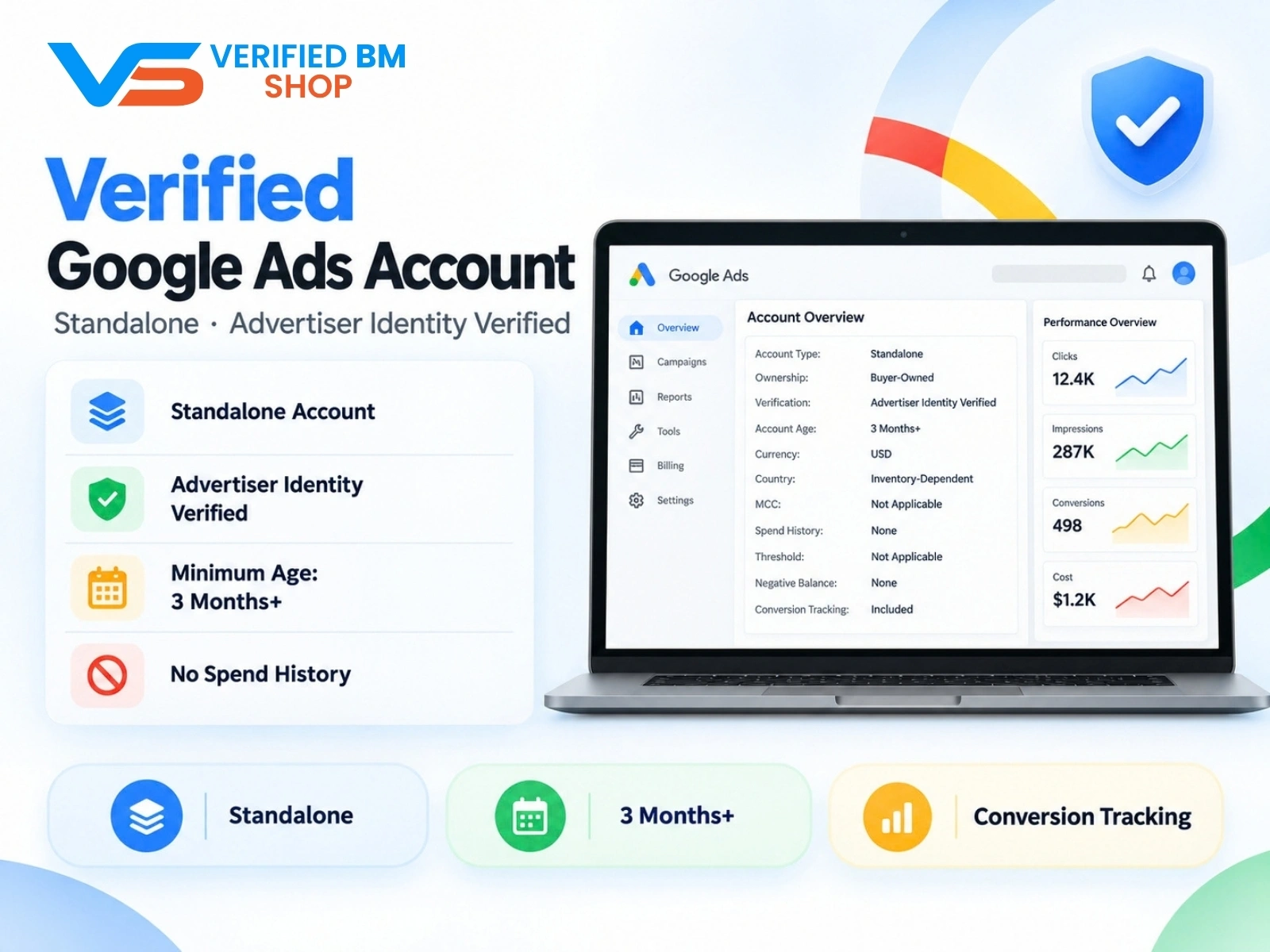
Google Verified Ads Account - Standalone, Advertiser Identity Verified

Written by
Verified BM TeamThe VERIFIED BM SHOP editorial team shares real-world experience in buying and selling verified Business Managers, WhatsApp API accounts and advertising platforms.
Comments (0)
No comments yet. Be the first to share your thoughts!
Leave a Comment
Your email will not be published. All comments are moderated.