
Quick Summary
Learn what sellers mean by pre-approved ad accounts, which ownership and billing questions to ask, and how to reduce policy and access risks before using one.
“Pre-approved ad account” is commonly used by sellers, agencies, and marketplaces to describe an account they say is ready for advertising. Confirm with current Meta documentation whether a specific offer corresponds to an official Meta product, status, or access arrangement.
A prepared account may reduce setup work, but it cannot promise ad approval, stable delivery, higher limits, or protection from restrictions. Before using one, check its owner, history, payment setup, permissions, and fit with your business and Meta’s current requirements.
What Are Pre-Approved Ad Accounts?
In marketplace language, a pre-approved ad account is usually an account that a provider describes as ready for advertising. It may be connected to a business, have payment details configured, or have passed earlier checks, but the exact meaning depends on the offer.
Some providers use the term for a new account with little history. Others mean an account with prior spend, an agency-managed account, or an account linked to established business assets. These descriptions are not interchangeable.
Ask the provider to define the offer in writing. “Ready to use” should identify the account owner, access available to you, billing party, currency, time zone, linked assets, and any stated limitations.
Is “Pre-Approved Ad Account” an Official Meta Term?
“Pre-approved ad account” is commonly used by sellers and marketplaces; confirm with current Meta documentation whether the specific offer corresponds to an official Meta product or status.
Meta may apply its own business, advertiser, payment, advertising, and account-activity checks. Confirm the applicable requirements in current Meta Business Help Center guidance before making a decision.
Terms such as verified, aged, agency, reinstated, and pre-approved can describe different account features or seller claims. Treat them as details to verify, not as proof of future access or performance.
Pre-Approved vs Verified, Agency, Aged, and Standard Ad Accounts
The table below explains how these labels are often used. Actual features depend on the business, asset, permissions, agreement, and current Meta rules.
| Account label | What it often means | What to confirm |
|---|---|---|
| Pre-approved | A marketplace term for an account described as ready for advertising. | What was approved, by whom, and which rights you receive. |
| Verified | A business may have completed a Meta business verification process. | Which business was verified and whether it owns the ad account. |
| Agency | An agency or partner may manage campaigns, billing, or client access. | Who pays Meta, who owns the account, and what happens if access ends. |
| Aged | The account or related business profile has existed for some time. | Its real activity, prior policy record, and current status. |
| Reinstated | An account was restored after a restriction or disablement. | The prior issue, current status, and any remaining limits. |
| Standard | A business creates and manages its own advertising setup through Meta. | Eligibility, verification needs, billing setup, and asset access. |
“Verified” does not necessarily mean “ad account owner.” A business or agency may receive access to an ad account without owning it, depending on the account configuration and permissions available under current Meta rules. Confirm the exact owner and granted role in Meta.
For broader context, see this guide to Meta ad account setup, access, and billing.
What Pre-Approval Can and Cannot Guarantee
A provider may demonstrate that the account is accessible at handover, but this does not establish that your ads will be approved or that access will continue.
It may indicate
- The provider can show that the account is accessible at handover.
- The account has a stated currency and time zone.
- A business or agency has configured some access or billing settings.
- Some business or advertiser checks may have been completed.
- The account has a stated status at the time of delivery.
It does not guarantee
- Approval of your ads, landing pages, products, or claims.
- Uninterrupted delivery or freedom from future review.
- A higher spending limit or faster limit increases.
- Access to every Meta feature or regulated ad category.
- Continued access if payment, identity, policy, or business details change.
Changes to account access, payment details, domains, campaigns, or business information may result in additional checks or enforcement. Confirm applicable requirements in current Meta guidance.
Potential Benefits of Using a Pre-Approved Ad Account
The possible benefit is reduced setup friction. Depending on the agreement, a provider may supply some already-configured advertising assets or permissions, which could reduce setup work.
That arrangement may help an agency organize client campaigns or help a media buyer test a new market. An established setup may also include a linked business, billing workflow, or asset structure, but none of these should be assumed without verification.
These benefits depend on the agreement and the account’s actual status. They do not remove the need for advertiser checks, accurate payment records, clear landing pages, or policy-compliant ads.
Businesses comparing account arrangements can review the Verified BM category, then request the exact access and ownership terms before selecting an option.
Risks and Compliance Considerations
The greatest risk is unclear control. If another business owns the Business Manager or an asset, it may retain important administrative, billing, permission, or recovery controls. Confirm each control and role directly in Meta.
Policy history also matters. A prior owner may have promoted restricted products, used disputed payment methods, or received enforcement actions. You may face operational risk without having access to the full record.
- Ownership risk: You may receive user or partner access without owning the Business Manager or ad account.
- Billing risk: A provider’s card, invoice arrangement, or billing contact may remain attached.
- Access risk: Shared logins make it difficult to determine who changed a campaign or payment setting.
- Policy risk: Your offer may not fit the account’s prior business information or Meta’s current advertising rules.
- Provider risk: Campaigns may stop if the provider removes access or loses access to the relevant account.
- Data risk: Pixels, catalogs, audiences, and domains may remain linked to another business.
Do not use another person’s identity, payment method, or business documents to pass a check. Keep your ads, website, customer data, and claims aligned with your real business.
How to Evaluate a Pre-Approved Ad Account Before Using It
Request evidence through a controlled screen share or a temporary, limited-access session. Do not rely on cropped screenshots, vague labels, or promises about future limits.
- Confirm the exact account ID. Check the ad account name, currency, time zone, status, and available creation details.
- Identify the owner. Ask which business owns the account and whether the provider can grant the rights you need under the applicable configuration.
- Review business details. Compare the available business identity information, website, country, and advertiser details with your own records.
- Inspect billing. Confirm who pays Meta, which payment method is used, who receives invoices, and how failed payments are handled.
- Check policy history. Ask about active restrictions, prior disablements, open reviews, and unresolved payment issues.
- Test access. Confirm that your named users can enter Ads Manager and perform only the agreed tasks. Access to Ads Manager alone does not establish advertising eligibility or continued access.
- Read the handover terms. Record delivery time, replacement conditions, support scope, and what happens after a restriction.
- Check the provider. Look for a clear business identity, written terms, a support contact, and accurate descriptions of the account.
A useful review should show what you control on day one. If the provider will not explain ownership, billing, permissions, or recovery, pause the purchase.
For a deeper review, use the checklist before buying a verified Business Manager.
Ownership, Access, Billing, and Asset Checks
Access is not the same as ownership. Ask whether your business becomes the owner, receives partner access, or receives an employee role inside someone else’s business.
Review these areas
- Business Manager: Review the business identity information, available administrative roles, verification status where shown, and current users using the permissions and business settings available to your account.
- Ad account: Check ownership, account role, account status, currency, time zone, and available spending controls.
- Pages and profiles: Confirm who owns each Page and who can publish or run ads.
- Pixel and data sets: Check ownership, event access, data permissions, and shared partners where shown.
- Catalogs: Review product ownership, feed sources, commerce settings, and user roles where available.
- Domains: Confirm domain ownership and verification under your business where possible.
- Billing: Where available, review payment methods, invoice access, applicable billing limits or thresholds, tax information, and spending notifications.
- Recovery: Confirm which admins can request or manage access recovery and which contact details receive available alerts.
Do not accept a setup that depends on one unknown person’s personal profile. Your business should have named staff, documented roles, and a clear path to address access problems.
Security Measures to Apply Immediately
Use individual user accounts instead of shared passwords. Require two-factor authentication for admins where available and follow the handover steps in a recorded checklist.
Remove old users, unknown partners, unused apps, and unneeded payment methods where your permissions allow it. Give each person the lowest role that supports their work.
Keep track of billing messages, account changes, new admins, and rejected ads using the notifications and account controls available to you. Store contracts, invoices, account IDs, and handover records outside Meta.
The Meta Ads access audit guide can help your team review users, assets, and permissions after delivery.
How to Start Advertising Safely After Handover
Start with a small, compliant campaign that matches your real business information. Use your own website, domain, creative, payment plan, and customer support details.
Check the landing page on mobile. Make pricing, terms, contact details, refunds, and data practices easy to find, and avoid abrupt changes in product type, geography, spend, or claims.
Monitor any rejection notices, payment messages, account-status notifications, and security alerts that Meta makes available for the account, especially during the initial period. Keep records of approvals and changes so your team can identify patterns early.
Do not try to bypass a review by opening duplicate accounts or changing identities. If available for the account and issue, use Meta’s official support or review channels and follow the instructions shown in the relevant account interface. You can also review the guide to common account restrictions.
Warning Signs of an Unsafe Account or Provider
- The seller promises a ban-proof account, guaranteed ad approval, or permanent high limits.
- The account owner will not appear in a live screen share or provide the account ID.
- The provider asks you to use its personal profile, card, identity, or business documents.
- Billing details are hidden, mixed with other clients, or impossible for you to review.
- You receive one shared login instead of named access.
- The account has open restrictions, recent disablements, or unexplained reviews.
- The provider pressures you to spend immediately or discourages a small test.
- The contract does not explain access removal, support, replacement, or recovery.
- The offer describes “verification” without naming the verified business or asset.
One warning sign may need clarification. Several together suggest that the account or provider may not be suitable for business use.
Pre-Approved Account vs Building Your Own Meta Advertising Setup
| Choice | Best fit | Main trade-off |
|---|---|---|
| Pre-approved account | A team needs a prepared setup and can verify ownership and access terms. | Provider dependency and unclear history may create risk. |
| Own Meta setup | A business wants direct control of its business, billing, assets, and recovery. | Setup and review may require more planning. |
| Agency account | A client wants an agency to manage billing and campaign operations. | The client may not own the ad account or retain access after the contract. |
Building your own setup is often the clearer option for a long-term brand, regulated offer, or business that needs direct control of customer data and billing. A prepared account may suit a short launch window or agency workflow, but only with clear rights and a documented exit plan.
Final Checklist: Is a Pre-Approved Ad Account Right for Your Business?
Choose a pre-approved setup only when you can verify its current status and control the parts that matter to your operation.
- You know the legal owner of the Business Manager and ad account.
- Your team has named, individual access with two-factor authentication where available.
- Billing, payment methods, invoices, and available spending controls are clear.
- Your domains, Pages, pixels, catalogs, and data assets have the appropriate owner.
- The provider has disclosed restrictions, prior issues, and support terms.
- Your campaign and business model follow Meta’s current policies.
- You have a small test plan and a recovery plan if access changes.
If those answers are unclear, consider building and verifying a business-owned Meta setup instead. If they are clear, compare suitable options in the Verified BM collection and confirm the handover terms before paying.
Official Sources
Frequently Asked Questions
Quick answers to the questions buyers ask most.
What are pre-approved ad accounts?
Pre-approved ad accounts are advertising accounts that a provider claims have already passed some form of review or have prior advertising history. The term is not an official Meta account status, and approval does not guarantee future delivery, spending access, or compliance.
Is it safe to buy a pre-approved ad account?
Buying one can create risks if the account’s ownership, history, funding source, or business information is unclear. Meta may restrict or disable accounts that violate its policies or show suspicious activity, so buyers should verify the account’s provenance and understand the platform’s applicable terms before using it.
Can a pre-approved ad account be transferred to my Business Manager?
An ad account can generally be assigned to a business portfolio only when the current owner grants the appropriate access or transfers ownership through Meta’s supported controls. A seller’s promise of permanent ownership is not enough; confirm that you receive admin-level access and that the account is not tied to another business or restricted portfolio.
Does Meta Business Verification approve an ad account?
Business verification confirms information about an organisation and may be required for certain features, regulatory obligations, or access reviews. It does not make every advertisement acceptable or guarantee that an ad account will remain active. Meta can still review ads, businesses, payment activity, and account behaviour separately.
What should I check before buying a pre-approved ad account?
Check who legally owns the account, whether it has policy violations or restrictions, which business portfolio controls it, and whether its payment and identity details can be updated lawfully. Also confirm the account’s currency, time zone, spending limits, billing status, connected pages, and the exact access you will receive.
Can I use my own payment method on a pre-approved ad account?
Payment methods and billing details may be subject to Meta’s risk checks and account permissions. Adding a new card or changing billing information can trigger review, especially when the account’s previous activity or ownership differs from the new user. Use payment details that belong to your business and follow Meta’s billing requirements.
What happens if a purchased ad account is restricted or disabled?
A restriction can stop campaigns, billing, or access to advertising tools. Review the notice in Account Quality or the relevant business support area and use Meta’s official review or appeal process when available. A seller cannot guarantee reinstatement, and creating replacement accounts to evade enforcement may lead to further restrictions.
Is using a pre-approved ad account better than advertising from a new account?
An older or previously active account may have more history, but that history does not remove the need to follow Meta’s advertising and business policies. A new account connected to accurate business information and legitimate payment details can be the more transparent option for many advertisers. Choose based on controllable compliance and ownership rather than the label “pre-approved.”
How this helps verified BM buyers
Apply this guidance when buying verified Business Managers or WhatsApp Business API assets to reduce policy risk, improve account stability, and scale campaigns with cleaner operational workflows.
Next steps: learn what a verified bm is, compare products in the Shop, review implementation details in FAQ, and contact support from the Contact page.
Recommended for You
Hand-picked from our shop — delivered fast after payment.
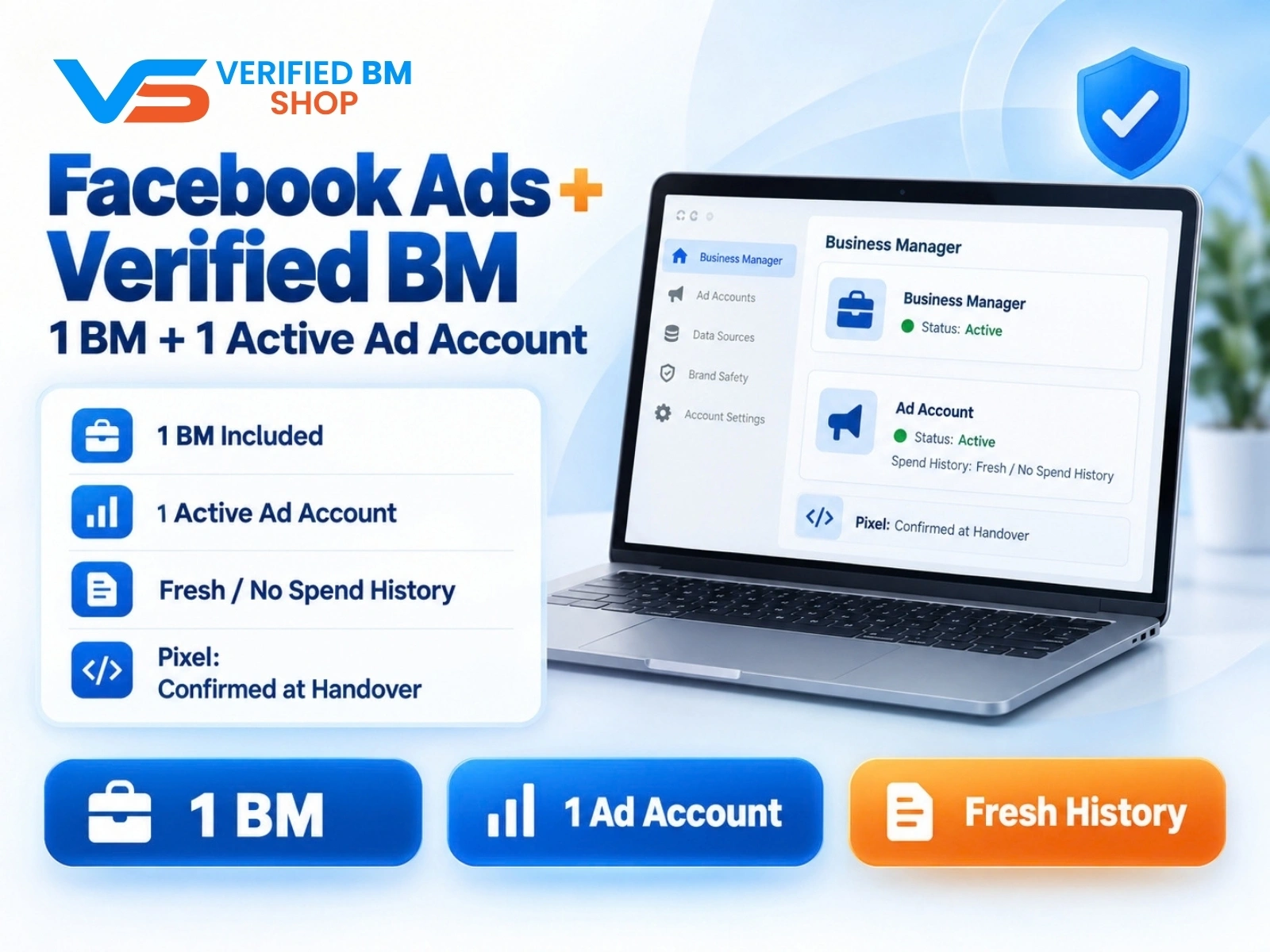
Facebook Ads Account + Verified BM Bundle
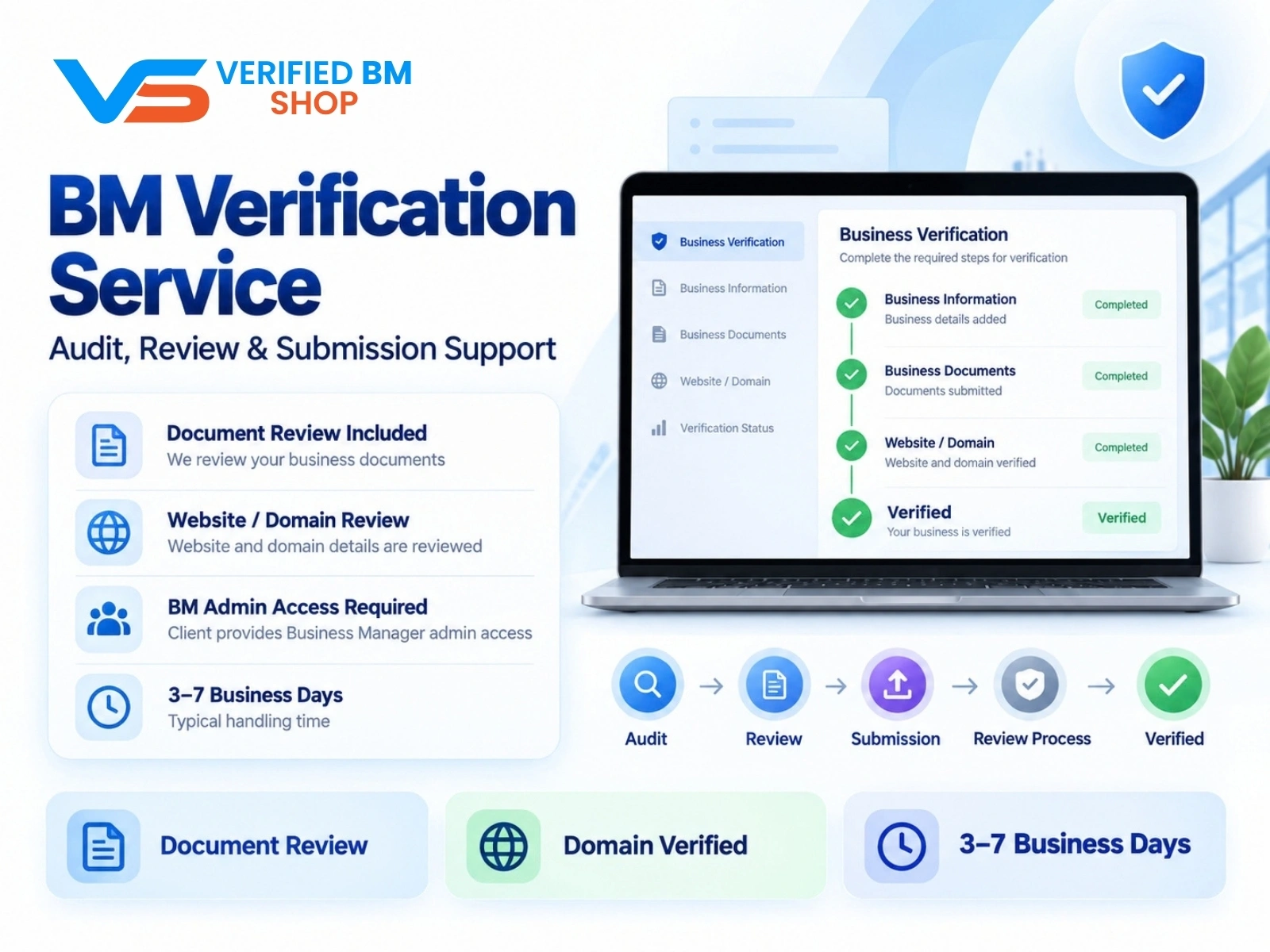
Meta BM Verification Service by VERIFIED BM SHOP
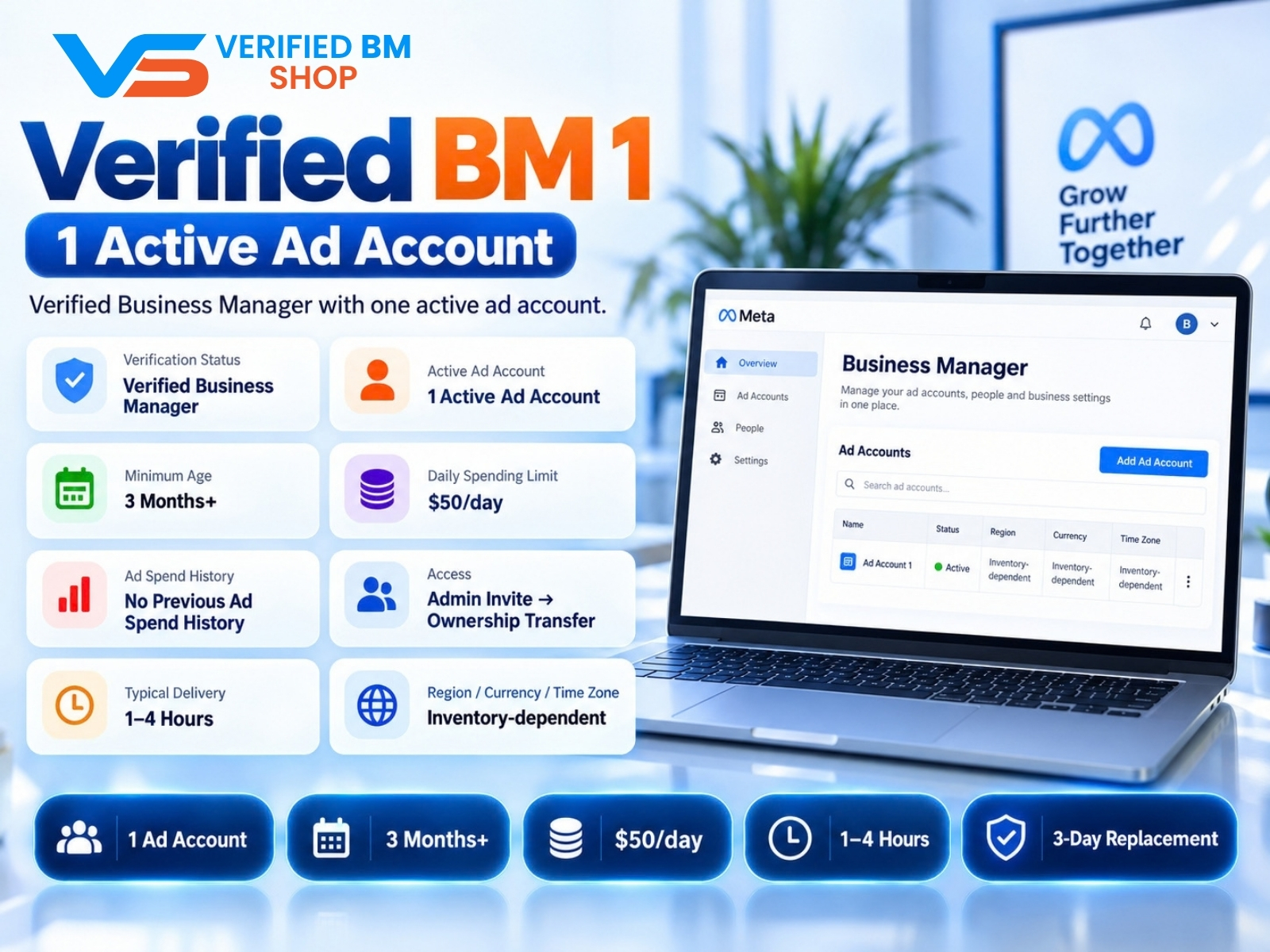
Verified BM 1 - Verified Meta Business Manager

Written by
Verified BM TeamThe VERIFIED BM SHOP editorial team shares real-world experience in buying and selling verified Business Managers, WhatsApp API accounts and advertising platforms.
Comments (0)
No comments yet. Be the first to share your thoughts!
Leave a Comment
Your email will not be published. All comments are moderated.