
Quick Summary
Learn how to organize Meta advertising assets, access, billing, measurement, and security controls while reducing avoidable operational risks.
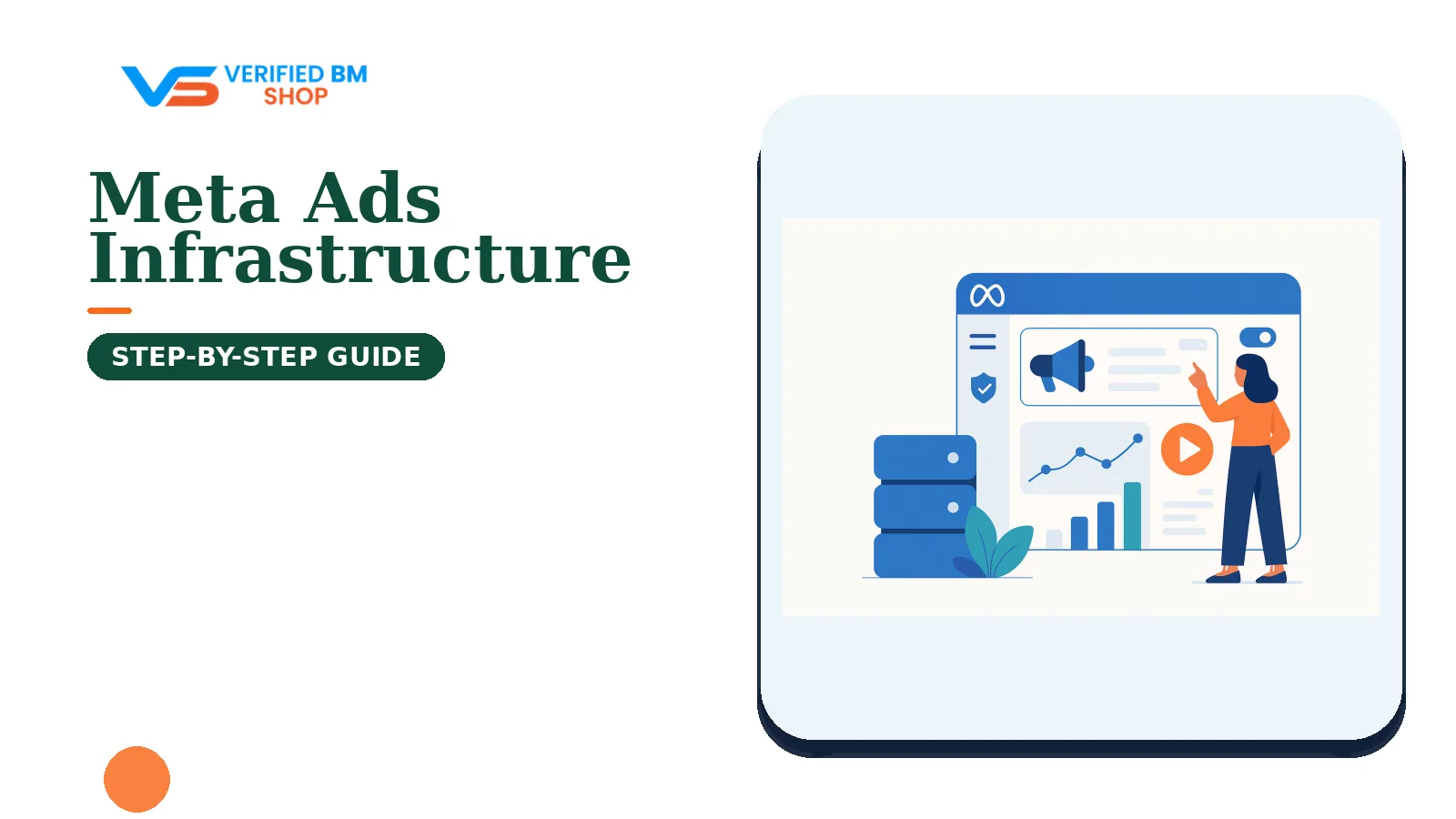
Advertising infrastructure is the connected system behind Meta campaigns. It includes business ownership, ad accounts, Pages, domains, tracking tools, billing, users, and security controls.
Business verification may support access to certain Meta features or workflows, depending on the account and product. It does not guarantee approval, higher limits, stable delivery, or protection from policy action.
What Is Advertising Infrastructure?
Advertising infrastructure covers the people, assets, accounts, data flows, and controls needed to run paid campaigns. It is the operating layer behind campaign setup, conversion tracking, billing, and account access.
For a small brand, this may mean one business portfolio, one ad account, one Page, and one website. An agency may need separate client assets, several ad accounts, shared data sources, payment controls, and a clear exit plan.
Meta’s product names, labels, and menus may change. Use the current settings and terminology shown in your account, and consult Meta’s latest help documentation when a feature or workflow is unclear.
Why Advertising Infrastructure Matters for Meta Advertisers
A campaign can fail before anyone reviews the creative. A missing domain, failed payment, lost admin login, or broken event signal can stop useful work.
Good structure gives each asset a clear owner. It also limits who can change billing, publish ads, edit tracking, or remove users.
Control: the business keeps ownership of key assets where appropriate.
Clarity: staff can see which account serves each brand or market.
Measurement: browser and server events can be mapped to the intended data sources.
Continuity: another approved admin can act when a team member leaves.
Risk control: access, payment, and policy checks receive regular review.
Teams buying or preparing a verified business setup should check its asset list, admin access, account history, and handover terms. A label alone does not replace due diligence.
The Core Components of a Meta Advertising Infrastructure
Business Portfolio and Business Information
A Meta business portfolio is used to organize and manage certain business assets and permissions. The assets and controls available can vary by account, region, and product.
Depending on the account, region, and product, Meta may ask for business details, supporting documents, or other checks during business verification. The information requested and the review method can change.
Business, identity, and domain verification are separate processes that generally address different information or control questions. Account status and policy reviews are separate from business verification, but the exact process can vary by account and product.
Check | Generally addresses | What it does not establish by itself |
|---|---|---|
Business verification | Information about a business submitted for review. | Approval of every ad or immunity from restrictions. |
Identity verification | Information about a person when Meta requests an identity check. | Verification of the entire company. |
Domain verification | Control of a website domain in relevant Meta workflows. | Policy compliance for the website or its ads. |
Account or policy review | The status of an account, business activity, or policy issue under the applicable review process. | Completion of business verification. |
Read Meta’s official Business Help Center guidance before submitting records. Where Meta’s current verification flow requires consistency, ensure the submitted business information is accurate and supported by the relevant records.
Ad Accounts and Billing
An ad account stores campaigns, payment settings, billing history, spending controls, and delivery status. It may be owned by a business or shared with a partner through the access options available to that account.
Use separate ad accounts when brands, legal entities, currencies, clients, or billing owners need clear separation. Do not create accounts without a real operational reason; Meta controls account creation, ownership, sharing, and transfer options.
Before launch, record the currency, time zone, payment method, invoice settings, spending limits, and backup contact. A payment failure can pause delivery, so the finance owner should review alerts and card expiry dates.
For account structure and payment basics, see this guide to Meta ad accounts, access, and billing. Agencies with many active accounts should also keep a private ledger for spend, billing dates, and client ownership.
Pages, Domains, and Other Business Assets
A Facebook Page may serve as a public business presence in campaigns. Give the business portfolio ownership where appropriate, then assign staff only the Page tasks they need.
Domains can connect website events, content, and conversion settings to the relevant business. Domain verification may be relevant for some website-based uses, so check Meta’s current requirements for the campaign, data source, and account.
Keep the website live, branded, and consistent with the business information you submit. Other assets may include product catalogs, apps, shops, offline event sets, custom audiences, and datasets, depending on the products available to the account.
Each asset needs an owner, a purpose, and a documented access path. For agencies, client assets should stay with the client when practical; the agency can receive partner access instead of becoming the permanent owner of every Page, data source, or catalog.
Pixel, Conversions API, and Measurement
Meta Pixel can record browser-side actions such as page views, leads, and purchases. Conversions API can send selected events from a server or supported partner platform.
Using browser and server-side events may provide more complete measurement in some implementations, but results depend on consent, data quality, event matching, deduplication, and current Meta requirements. These tools do not make poor data accurate or remove privacy duties.
Set one clear event plan before campaigns begin. Define the event name, value, currency, source, consent rule, and owner for each key action.
Check deduplication when the browser and server report the same event. Then test event timing, match quality, purchase values, and attribution settings; Meta’s developer documentation explains the current technical options, while this Pixel and Conversions API setup guide covers the planning basics.
Users, Roles, and Access Controls
Access should follow the person’s job, not their seniority alone. One employee may need campaign access but not billing access or full business control.
Use individual profiles instead of shared logins. Review business admins, finance users, partners, and inactive staff at least once each month.
Require two-factor authentication for all users where possible. The agency two-factor authentication guide can help teams plan that control.
What Business Verification Does—and Does Not—Do
Business verification may confirm information submitted about a business through a Meta review process. Some products, account functions, developer tools, or messaging features may require it, but eligibility is not universal.
Requirements can depend on the business, region, product, account state, and Meta’s current rules. Check the specific workflow shown in the account rather than relying on a general checklist.
Verification does not guarantee ad approval, spending capacity, delivery, account stability, or immunity from restrictions. Ads, landing pages, payment activity, user behavior, and business assets still need to follow Meta’s terms and policies.
It also does not turn every asset associated with a portfolio into a trusted asset. A linked ad account can still face review, payment checks, or policy action.
How the Components Work Together
A campaign may follow a connected path:
The business portfolio owns or receives access to the Page, ad account, domain, and data sources under the permissions available to the account.
An authorized user creates a campaign in the correct ad account.
Depending on the campaign objective and setup, the ad sends people to a website, app, messaging destination, or another destination that complies with Meta’s applicable requirements. Domain verification may be relevant for some website-based uses.
Browser and server-side events report actions such as leads or purchases when those integrations are configured.
The catalog, if used, supplies product data for the selected ad format.
The payment method funds delivery and records charges against the account.
Admins review results, event quality, billing, access, and account status.
A break in one link can affect the full system. For example, a working campaign may show poor results when the purchase event uses the wrong value or fires twice.
A Safe Infrastructure Model for Agencies and Scaling Teams
Start with ownership. The client or operating company should own its main business portfolio, Page, domain, data sources, catalog, and customer data whenever its contract and structure allow.
Then create a separate ad account for each meaningful business need. Common reasons include a different legal entity, currency, brand, market, or finance process.
Agencies can receive partner access and assign staff through their own business portfolio. This model can make offboarding easier and reduce the risk of one employee controlling every client asset.
For a small operation, one well-documented business portfolio and one or more appropriately configured ad accounts may be enough. Larger teams should use only the account capacity available to them under Meta’s current product rules and account eligibility; do not rely on fixed capacity numbers unless they are confirmed in the relevant Meta interface or documentation.
Do not create duplicate portfolios to spread risk or hide ownership. Keep an asset map that shows the owner, users, purpose, payment source, domain, and backup admin for every account.
Security and Continuity Controls to Put in Place
Require two-factor authentication for every admin and finance user.
Keep at least two trusted admins, but avoid giving full control to casual contractors.
Use a password manager and unique passwords for business email accounts.
Remove former staff and expired partners on the day access ends.
Store recovery codes in a controlled company vault.
Review payment methods, card expiry dates, and billing alerts each month.
Keep copies of legal records and note who can submit verification documents.
Test Pixel and Conversions API events after website, checkout, or server changes.
Record account IDs, domain owners, data sources, and support case numbers.
Recovery planning matters because a lost admin profile can block the whole team. Keep an approved backup admin and a documented route to Meta support; do not depend on one employee’s phone, inbox, or personal device.
Common Advertising Infrastructure Mistakes
One login for everyone: this removes accountability and increases takeover risk.
Mixed ownership: the agency owns client assets, but the client pays for and controls the brand.
Too many admins: broad access makes accidental changes more likely.
No event plan: teams launch campaigns before defining the source and meaning of conversions.
Weak payment records: finance cannot explain charges, failed cards, or account limits.
Duplicate assets: several pixels, catalogs, or Pages create confusion and poor data quality.
Ignored policy signals: teams keep launching ads while account quality warnings remain open.
Restrictions may relate to issues involving ads, landing pages, payments, profiles, or business assets, but the applicable cause depends on the account and Meta’s review. Verification alone cannot correct those weaknesses.
Advertising Infrastructure Audit Checklist
Run this review before launch, after a major team change, and before a large spend increase:
Confirm the legal business name, address, website, and contact details.
List every business portfolio, ad account, Page, domain, data source, catalog, and app relevant to the operation.
Record the owner and backup admin for each asset.
Check that each user has only the access needed for the role.
Turn on two-factor authentication and remove inactive users.
Review payment methods, currency, time zone, limits, and billing alerts.
Test browser and server events, including deduplication and purchase values.
Check domain ownership and the destination used by each active campaign.
Review account status, rejected ads, open cases, and policy notices.
Save recovery details, asset IDs, contracts, and support contacts in a secure location.
If the review finds unclear ownership or missing records, pause non-essential changes. Fix the structure first, then scale activity.
When to Seek Meta Support or Verification Assistance
Use Meta’s own support channels for account status, policy decisions, payment issues, and cases that require access to internal review. Keep screenshots, dates, account IDs, invoices, and clear facts in each case.
If offered by the provider, specialist assistance may cover areas such as document preparation, asset mapping, access planning, or technical checks. Confirm the exact scope before purchase; no provider can promise verification, approval, higher limits, or removal of a valid restriction.
If your company needs help preparing its records, review the BM Verification Service. For official case routes, consult Meta’s Business Help Center and keep third-party access limited to the task.
Businesses comparing setup options can also review the Verified BM category. Check ownership, included assets, access terms, and replacement conditions before making a purchase.
Frequently Asked Questions
Quick answers to the questions buyers ask most.
What does advertising infrastructure mean in Meta Ads?
What should a safe Meta Ads infrastructure include?
Should I create a new Meta ad account for every campaign?
Why does Meta ask businesses to verify their information?
How can I protect access to my Meta advertising infrastructure?
How should I assign Pages, Instagram accounts and other assets?
What should I do if my Meta ad account is restricted?
How can I make my advertising infrastructure easier to audit and recover?
How this helps verified BM buyers
Apply this guidance when buying verified Business Managers or WhatsApp Business API assets to reduce policy risk, improve account stability, and scale campaigns with cleaner operational workflows.
Next steps: compare products in the Shop, review implementation details in FAQ, and contact support from the Contact page.
Recommended for You
Hand-picked from our shop — delivered fast after payment.
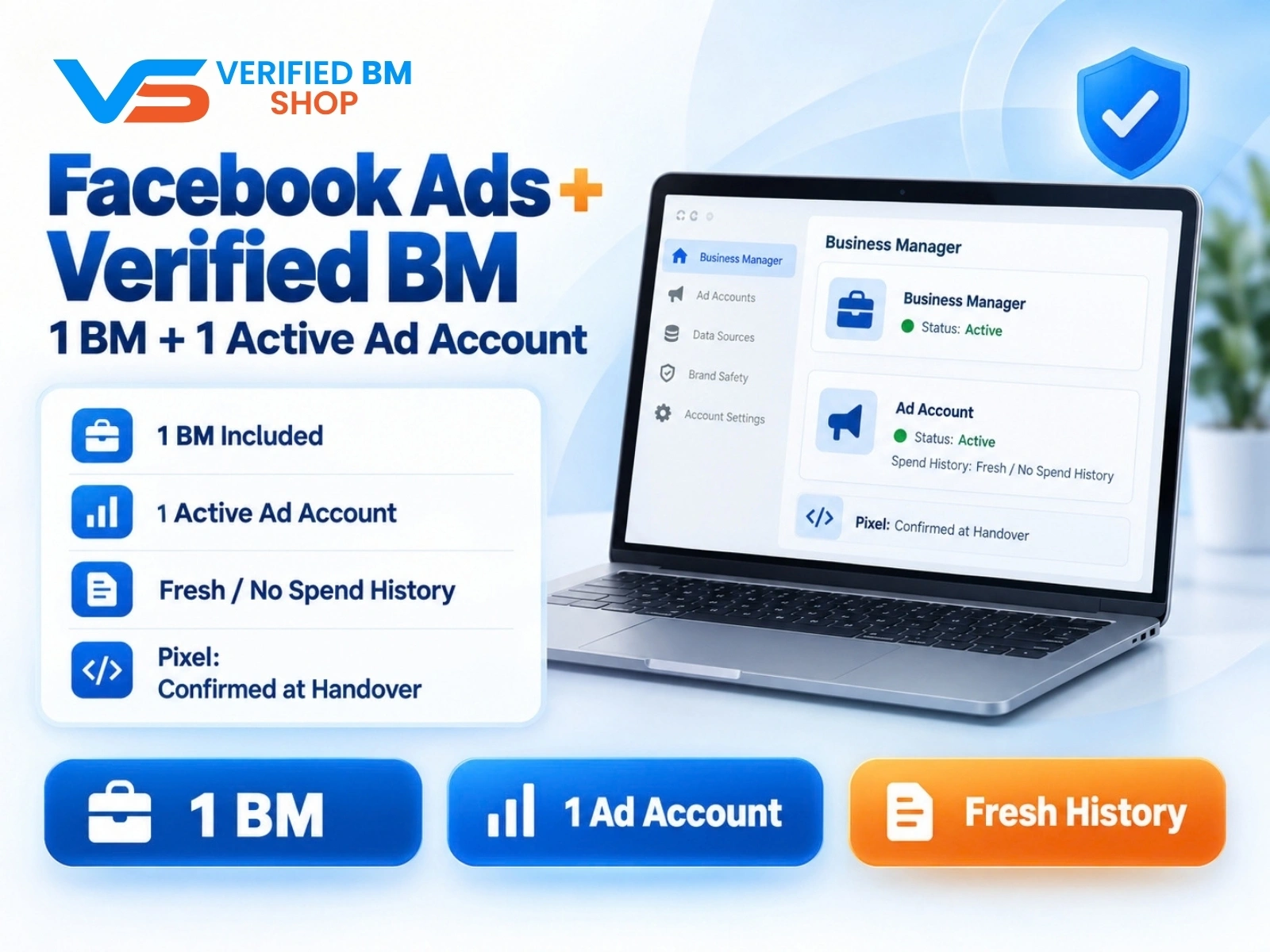
Facebook Ads Account + Verified BM Bundle
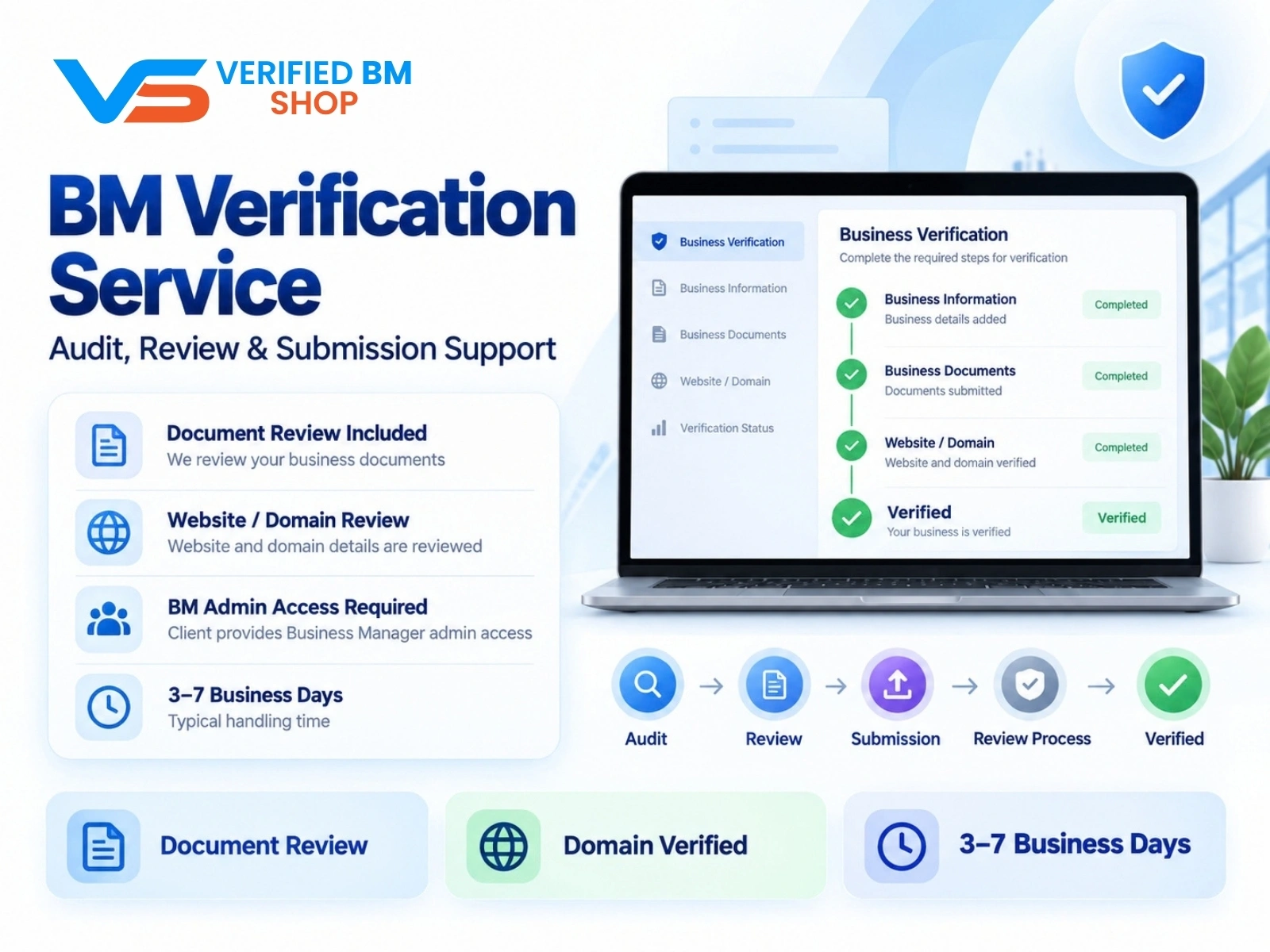
Meta BM Verification Service by VERIFIED BM SHOP
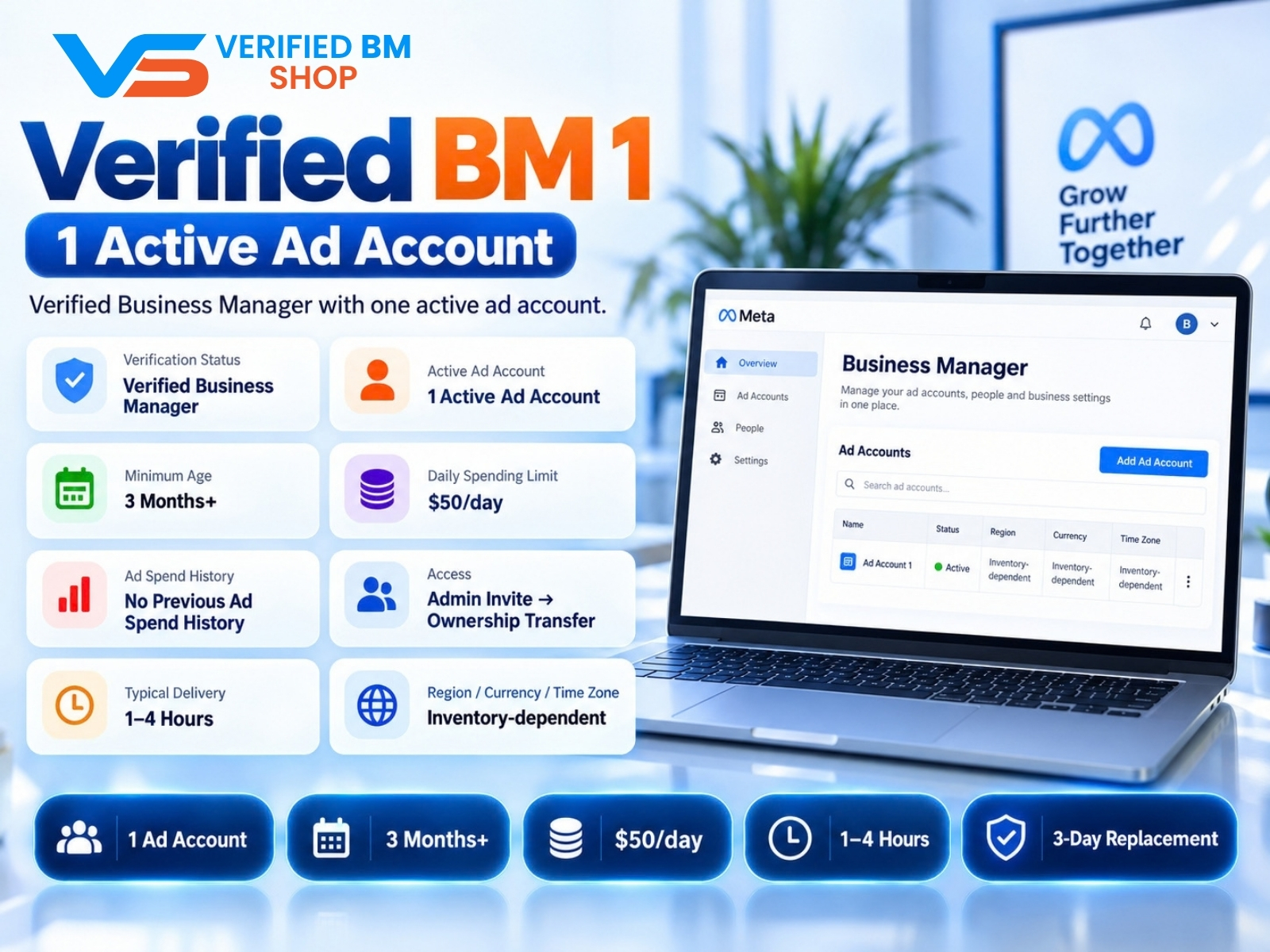
Verified BM 1 - Verified Meta Business Manager

Written by
Verified BM TeamThe VERIFIED BM SHOP editorial team shares real-world experience in buying and selling verified Business Managers, WhatsApp API accounts and advertising platforms.
Comments (0)
No comments yet. Be the first to share your thoughts!
Leave a Comment
Your email will not be published. All comments are moderated.